
Input Files
The traffic modelling uses 3 types of files (all of which can be opened with a text editor) :
- QGis layers (exported as *.geojson)
- matrix files (*.csv)
- a project file (*.qtr)
All these files can be opened with a text editor.
The necessary files are :
- a “links” file, or multiline QGis layer (in geojson format). This is the “road network”.
- a “zones” file, or point QGis layer (in geojson format)
- the trip matrices files, “.csv” files
- the project file (*.qtr)
There could be 2 optional QGIS layers :
- a “Traffic counts” file, or point QGis layer
- a “Parks” file, or point QGis layer
Here are the structure of these files :
QGIS Input Layers (*.geojson)
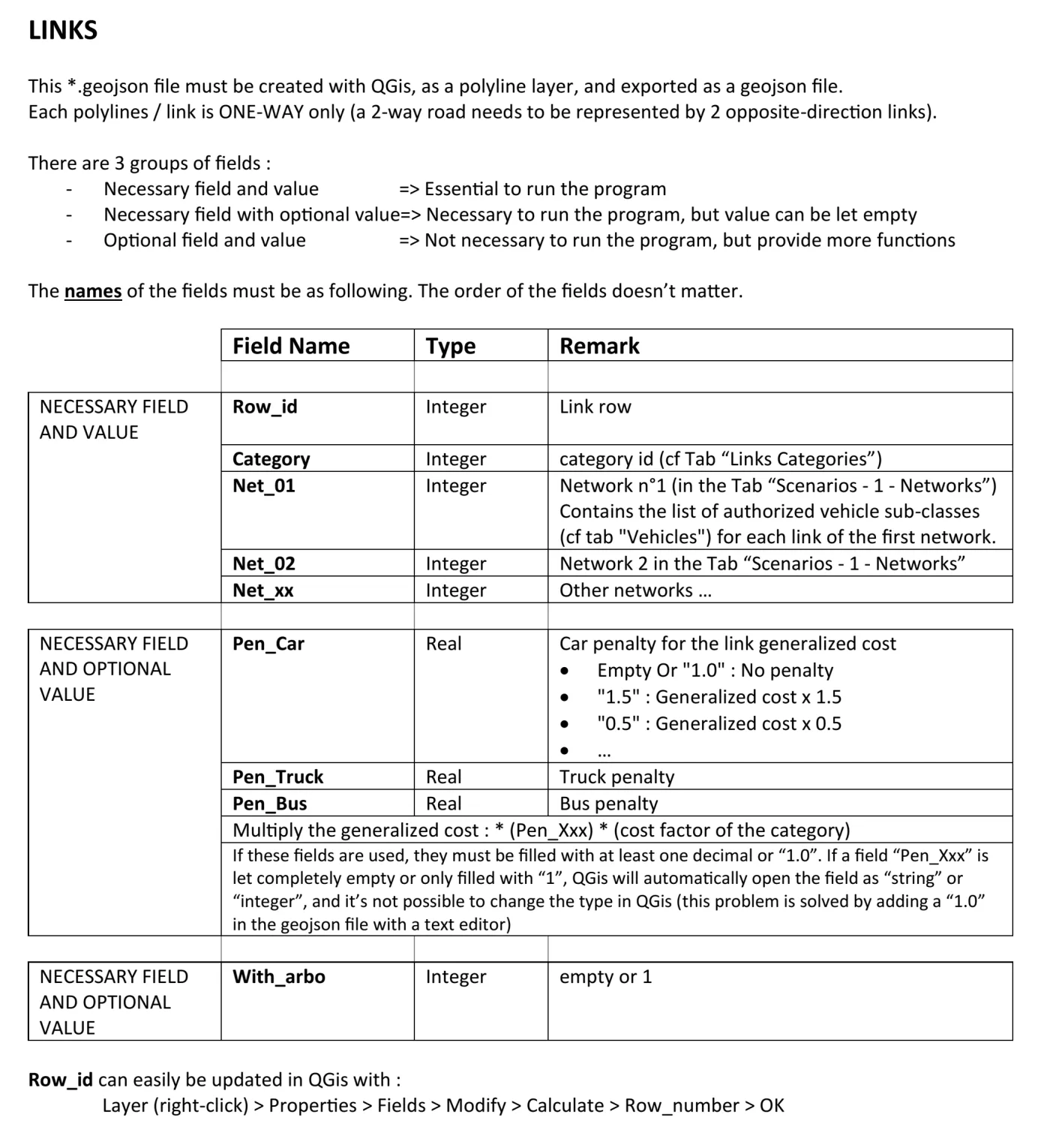
Links file (multiline QGis layer) – The road network

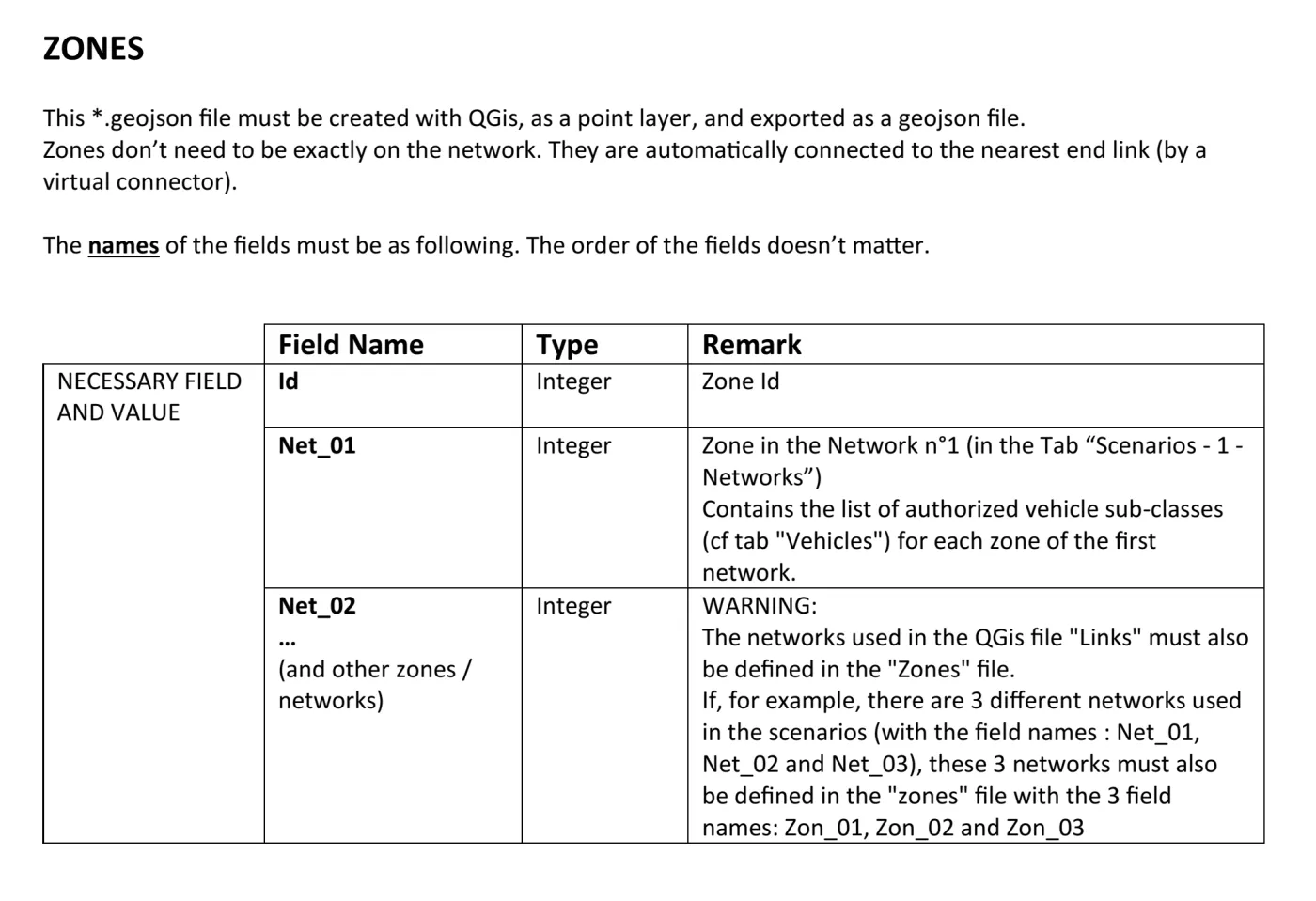
Zones file (point QGis layer)
Optional QGIS layers
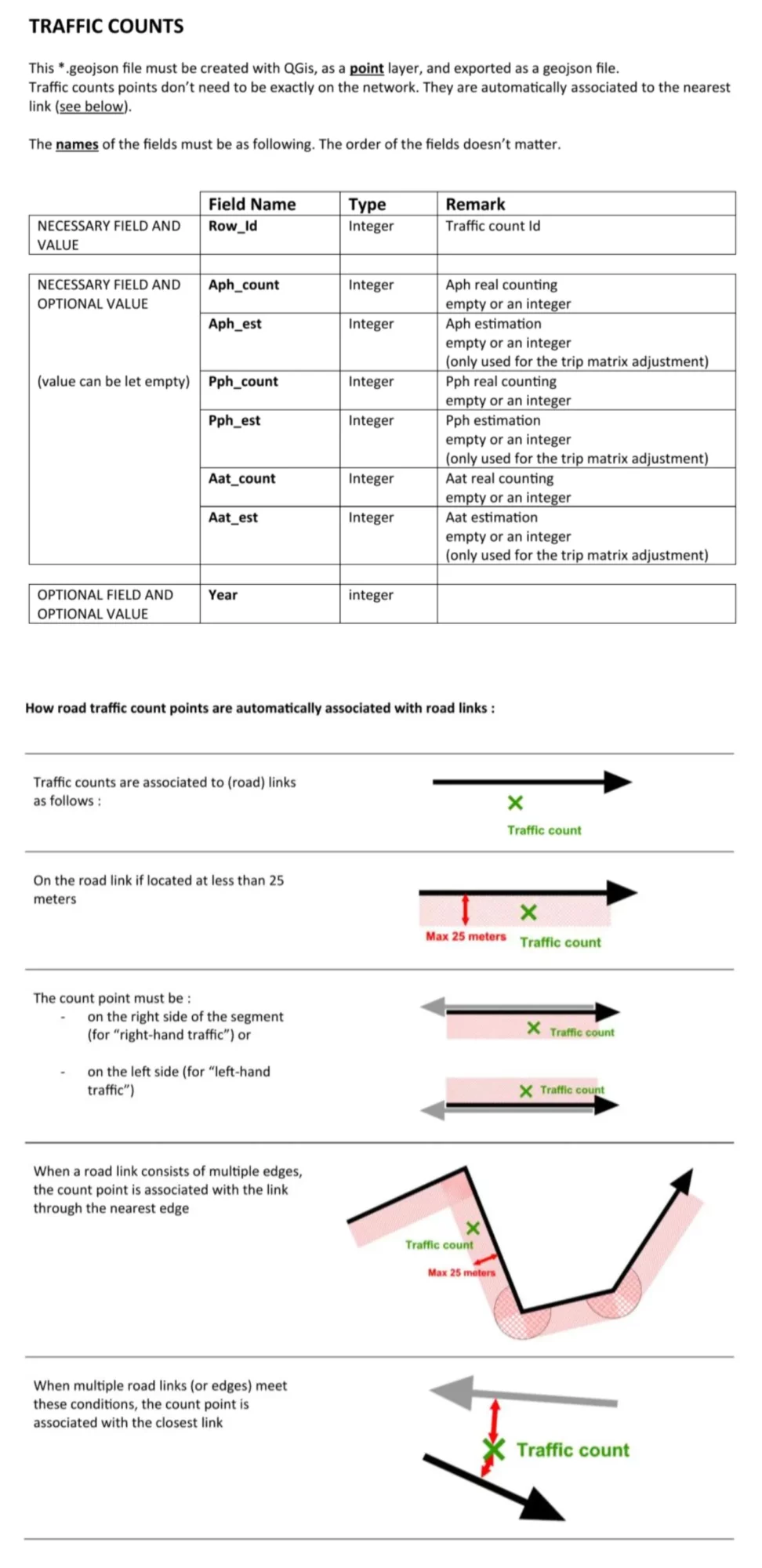
Traffic counts (point QGis layer)
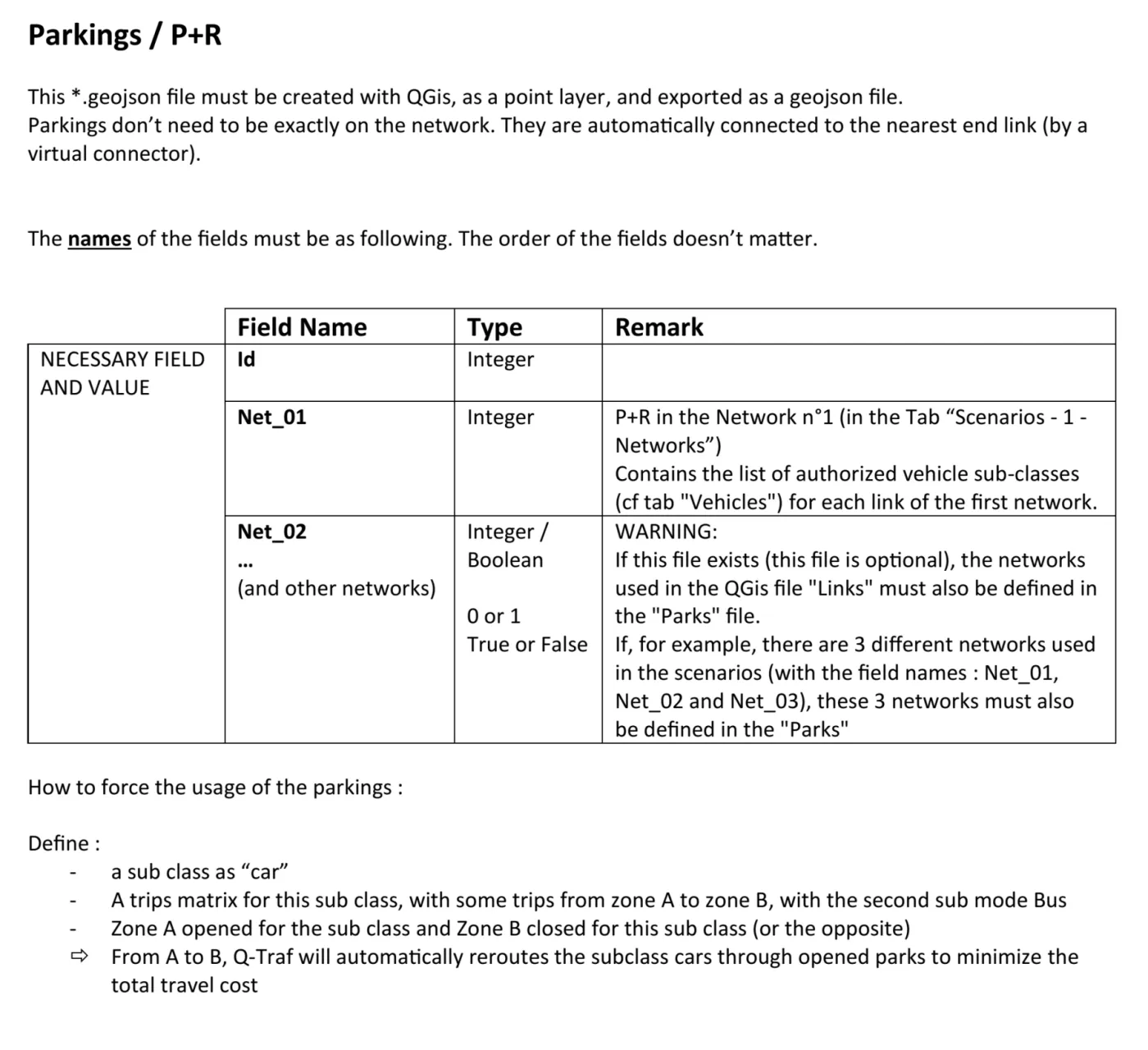
Parks file (point QGis layer)
Trip Matrix file
There can be a matrix file for each combination : {scenario, vehicle type, time period} (see below).
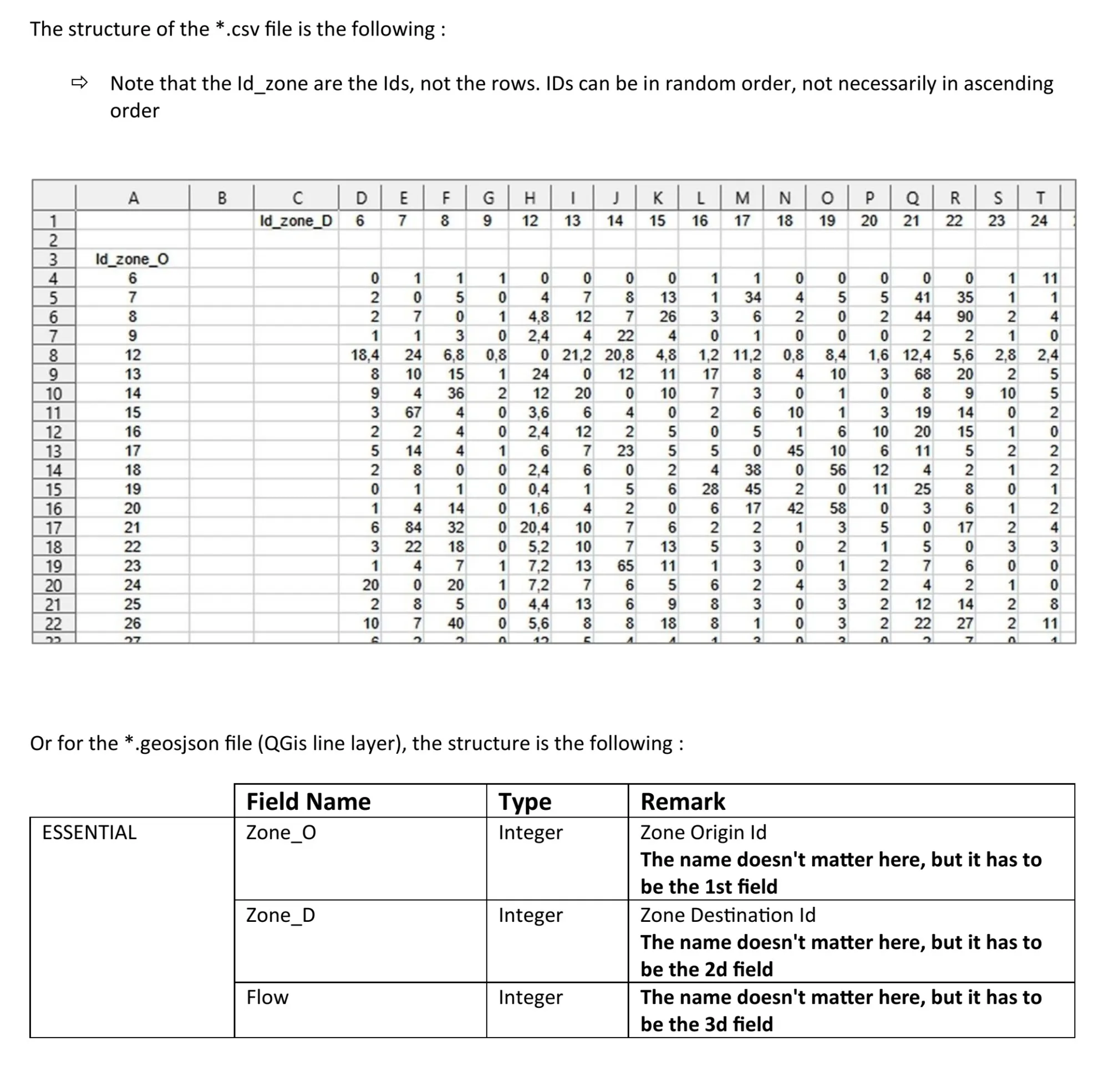
Trip Matrix file naming rules
You can NOT choose the matrix files names ; the names of the trip matrix files are not left to the user’s choice, but are defined by the software according to the project parameters. The names of the matrix files are composed of the names of : the project name + the scenario + the vehicle type + the time period. The naming rules are as follows :
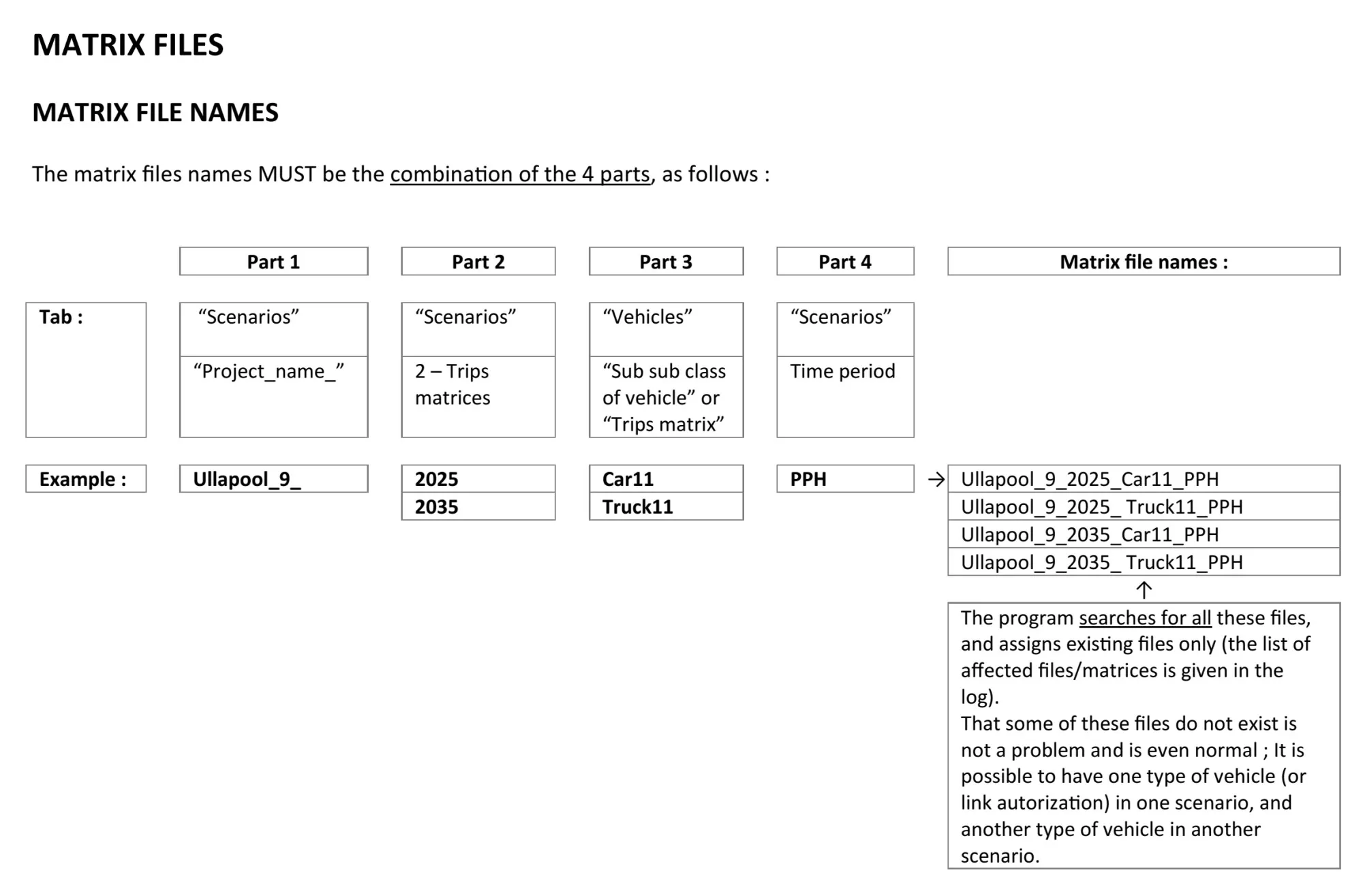
For example, a common case is to have 2 different scenarios, with 2 different road networks (with and without a bridge for example), but using the same matrices (same date, same routes), with 2 types of vehicles. There will then be 2 matrix files.
The other common case is to have 2 different scenarios, with the same road network but different trips (let’s say for 2 different time horizons), with 2 types of vehicles. There will then be 4 matrix files.
And in the case with 3 scenarios, each with a different set of matrices, and 2 types of vehicles, 6 matrices files will be used.
While the software searches for all possible combinations of matrix names, not all of them are always necessary, and the software does not create errors if it does not find all of them. This structure, which can sometimes be complicated, allows for a higher number of variations.