
Software and examples
Q-Traf runs on x64 and Windows 8 and later. Since version 2.002, Q-Traf is a portable application with one file (exe) only, and no installation required. It can be launched directly from a USB stick.
Important side note : Previous versions of Q-Traf ran with Microsoft Framework 4, already installed on most Windows computers. The new version (since 2.002) is fully portable and “autonomous”, developed with .NET 8 which is integrated into the “.exe” file. But it has increased the size of the application from 6 to 65 MB (!).
On Win 10 and 11, SmartScreen will display a warning “The App You’re Trying to Install Isn’t a Microsoft-Verified App”. You can click on “Additional Information” → “Run Anyway” (there is this message because we didn’t pay Microsoft to certify the app).
You need QGIS (https://qgis.org/download/) to display the traffic maps.
The current version is : 2.004 (21-apr-2026) (previous version was 2.002)
Program file and examples
Size (zipped file)
Portable_Q-Traf.zip (current version)
(with the examples)
65 Mb

Case examples provided (data files, traffic flow and analysis)
–
Ultra_small_Square_basic
(basic – Car, one network, one matrix, one assignment)
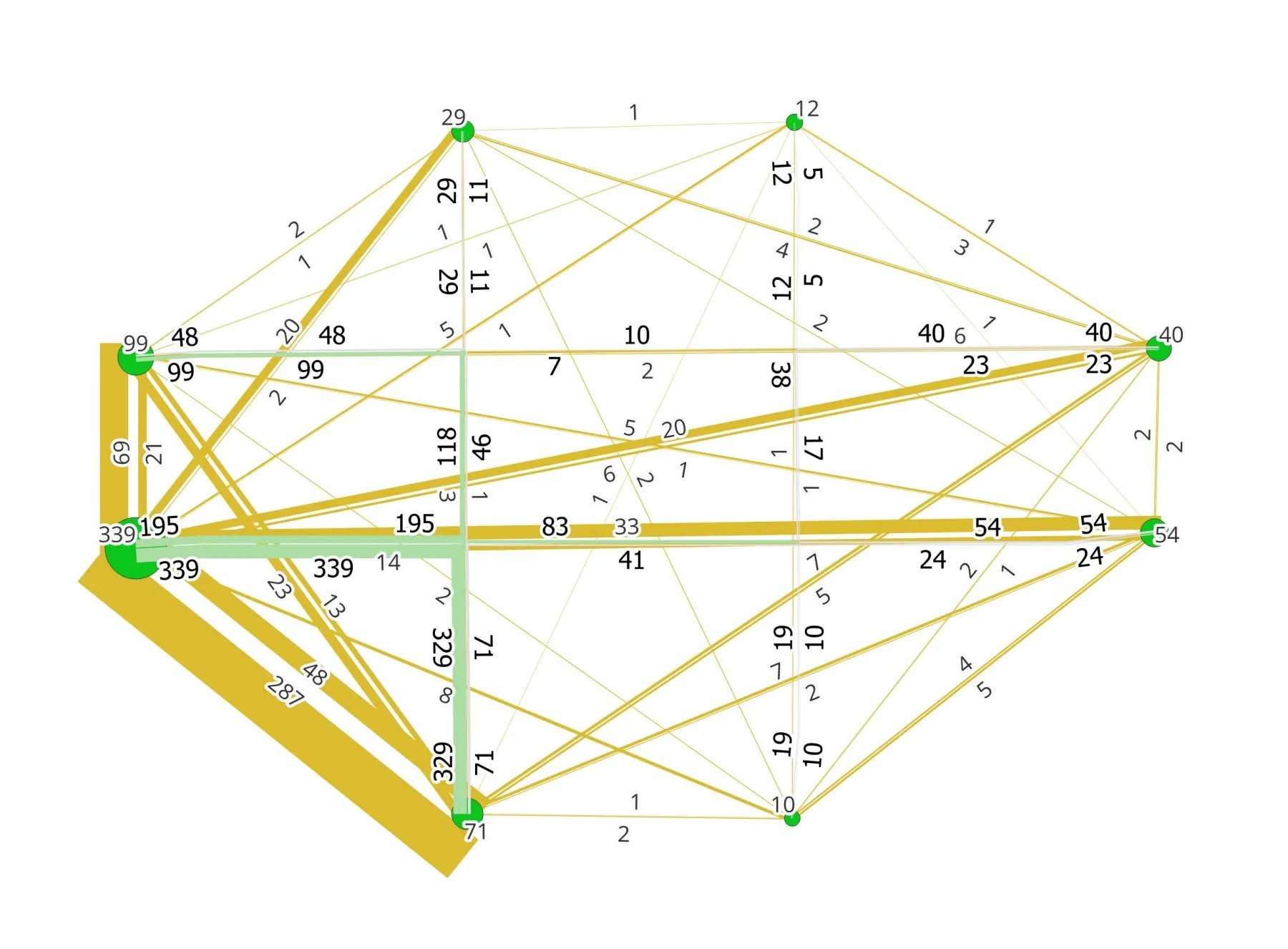
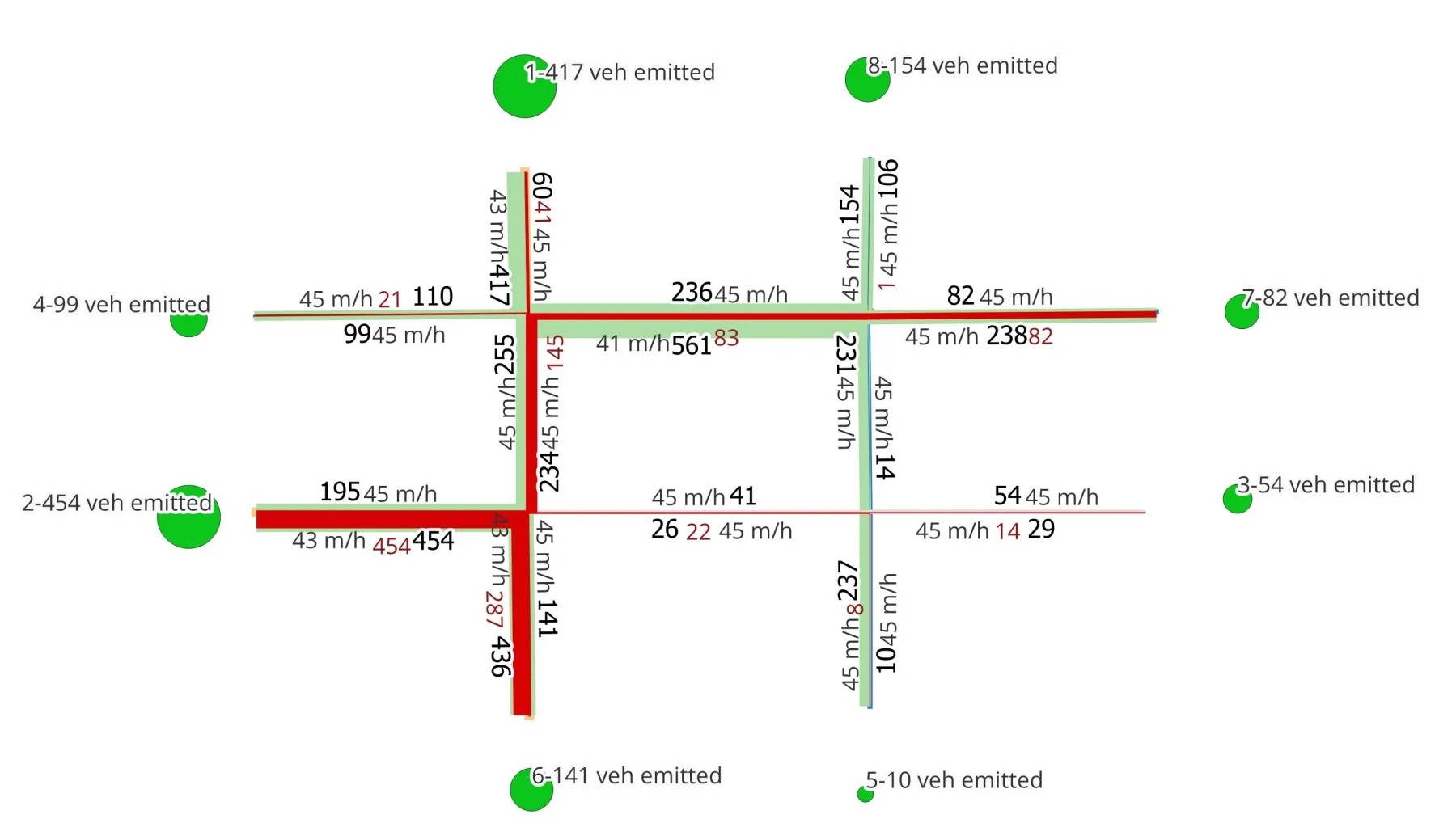
Ultra_small_Square_arbo
(with arborescence)
Small_Ullapool
(Left-Hand Traffic)
(Car & Truck, multi assignments, assignments comparison, arborescence)
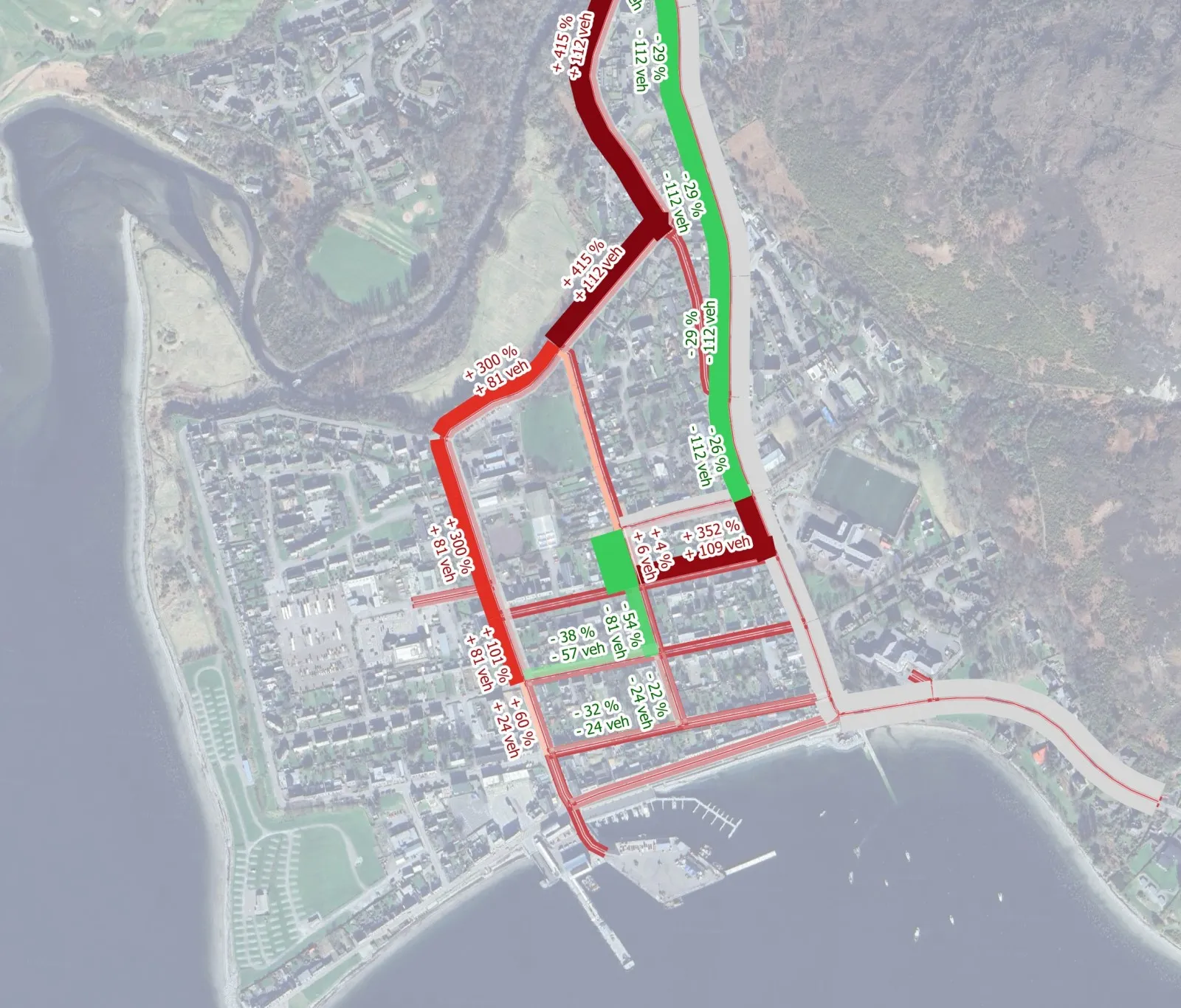
In these examples, trip matrices and traffic flows are provided for illustrative purposes only and do not necessarily reflect reality.

Installation
Q-Traf is a Windows portable app, there is no installation needed. Just double-click on Portable_Q-Traf.exe to run it.
Of course the program in itself is not enough and required the necessary folders and files of input data. They are all provided in the examples included.
How to use the examples
To run a simulation and calculate a new traffic assignment, you need to :
- Run / launch Portable_Q-Traf.exe
- Select a “Project” folder (like “Q-Traf_Ultra_Small_Square”, “Q-Traf_Small_Ullapool”, …)
- This will automatically load the project / application parameters
- Click “Run”
- Once the execution is finished, close the program
- The new results (mainly QGIS layers) are written in the specified folder “_Results”
- Open the results in QGis (see below)
Required data / files – Only 4 files are needed :
- A QGis multiline layer (geoson format) : The “road network”
- A QGis point layer (geoson format) : The “zones”
- One or several OD matrices (csv format)
- Most importantly, the “parameters.csv” file, which must be in the folder “Parameters”.
- the formats of these files is specified here : Data file formats
To see the results of a trips assignation of a provided example, you need to :
- Install and open QGis
- Drag n drop the result files (in the folder “Results”) in QGIS
- Apply the graphic parameters in QGIS (see QGis graphic parameters)

Users Manual
File
Size
Link
Q-Traf v1375 Users Manual (pdf)
6 Mb
Changelogs
Version 2.004 (released 21-apr-2026)
- Fixed minor bugs. UX improved.
Version 2.003 (released 9-apr-2026)
- Change in the format of “penalties” and “cost factors” (now decimals).
- Fixed bugs : “Penalties” and “cost factors” are now multiplicative. Fewer errors in the processing of regional decimal separators (dot or comma) when opening and saving the file “parametres.csv”
Version 2.002 (released 30-mar-2026)
- Rewritten in Microsoft .NET 8, and now truly portable (no need to install .NET 8). Previous versions needed Microsoft Framework 4)
Version 1.403 (released 17-mar-2026)
- Improved UI, bugs fixed
Version 1393 (released 07-mar-2026)
- small improvements (better handling of geojson files)
Version 1382 (released 17-feb-2026)
- Improved interface
Version 1379 (released 08-feb-2026)
- Improved interface, QGis layers fields simplified
Version 1375 (released 02-feb-2026)
- Minor corrections, bugs fixed, QGis layer fields modified
Version 1371 (released 25-jan-2026)
- Minor corrections and one bug fixed
Version 1364 (released 18-jan-2026)
- Minor corrections
Version 1362 (released 17-dec-2025)
- Interface improved
Version 1361 (released 14-dec-2025)
- Some bugs fixed (files)
Version 1355 (released 24-nov-2025)
- Some bugs fixed (files)
- Interface improved
Version 1340 (released 19-nov-2025)
- Q-Traf now uses *.geojson, instead of *.csv, files. As geojson is a Qgis file format, there is no need to convert / import / export input and output files ; “save” and “drag n drop” (“open”) work in QGis ; “links” and “zones” layers / files can be edited directly. Moreover, the geoson format contains the CRS (Coordinate Reference System) and the format doesn t change between countries (dot or comma as decimal separator, comma or semicolon as column separator, etc). Only the parameters file and the trip matrices files remain in the csv format.
- Some bugs fixed (arborescence files)
- Interface improved
Version 1314 (released 01-sept-2025)
- Tab “Functions Speed(flow)” added
Version 1307 (released 17-aug-2025)
- Improved convergence method (Method of Successive Averages)
Version 1300b (released 28-jul-2025)
- Minor bugs fixed
Version 1204f (released 13-jul-2025)
- New interface ; all the parameters are now managed directly in the tabs.
- Choice of speed unit (“mile per h” or “kilometer per h”)
- Automatically recognized csv format (“,” or “;”) and decimal separator (“.” or “,”)
- File parameters of older versions don’t work anymore with this version.
Version 1203a (released 10-jun-2025)
- Addition of a new assignment procedure (“Pseudo user equilibrium”, see the Users Manual).
Version 780 (released 23-may-2025)
- Modification of the structure of the file “2_veh_sub_parent_types_and_link_authorization.csv”.
- File parameters of older versions don’t work anymore with this version.