QGis graphic parameters
These are the parameters to be used for drawing traffic flows in QGis.
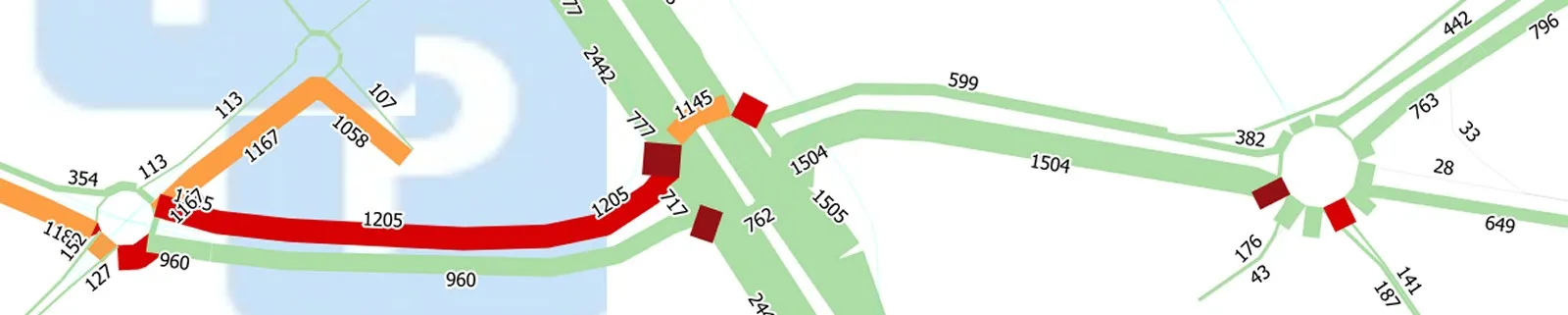
In property > Symbology > Simple Line :
Color line
Color Edit > Edit
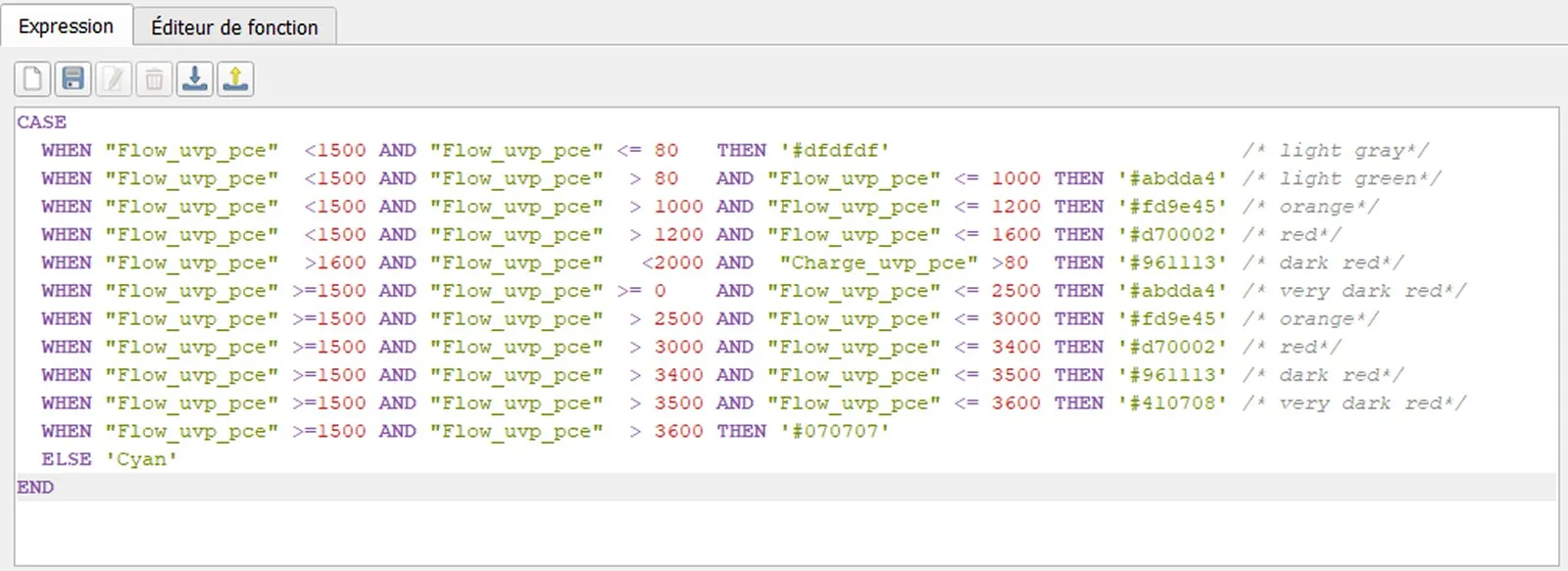
Line width / thickness :
The width of the line is proportional to the flow (for instance : 100 * “Flow_uvp_pce”). Here’s an example of a little more complicated function which allows to zoom in / out thanks to adding the “@map_scale” parameter of QGis :
Line width > Edit :

Line offset :
The line offset (to the right or the left of the center) is half the width / thickness of the line. So it’s simply the above function, divided by 2 (multiply by (-1) if it is on the “wrong” side) :
Line offset > Edit :


QGis plugins
Some plugins have been developed to make using QGis easier and faster, as part of the Q-traf project. They are not necessary, but can help. They can be downloaded with the Plugins Manager in QGis.
Batch_Csv_Wkt_importer_Fr
http://plugins.qgis.org/plugins/Round_Coordinates/
Round all the coordinates of a polyline layer / the network to the nearest meter, without decimals.
Show_All_Layers_CRS
http://plugins.qgis.org/plugins/Show_All_Layers_CRS/
Opens a pop-up window listing all the layers with their CRS, name files and number of features.
In a large QGis project with many layers, this helps to identify layers with a different CRS from that of the project, which slows down the whole process. The contents of the pop-up window can be copied/pasted as text.